USB4 vs Thunderbolt 4: Real-World Bandwidth, Daisy-Chaining Limits, Cable Certification, and What Works with Your Laptop

Optimizing your PC for high-performance gaming is essential for an immersive and seamless experience. In today’s competitive gaming landscape, having a well-tuned system can make all the difference. This guide will provide you with a step-by-step approach to enhance your PC’s performance, ensuring you can enjoy the latest titles without any hitches.
Before diving into optimization techniques, it is crucial to understand the hardware requirements for high-performance gaming. Each game has its own specifications, but there are general components that significantly influence performance.
The first step in optimizing your gaming PC is ensuring all drivers and software are up to date. This includes graphics drivers, chipset drivers, and game-related software.
Most modern games offer a variety of settings that can be adjusted to improve performance. Tweaking these settings can lead to significant enhancements without requiring hardware upgrades.
Windows has several built-in settings that can be adjusted for gaming performance. Modifying these settings can lead to smoother gameplay.
Keeping your system cool is vital for maintaining optimal performance. Overheating can cause hardware to throttle, leading to decreased performance.
Overclocking can provide a significant performance boost, but it should be done cautiously. Ensure you have adequate cooling before attempting to overclock your CPU or GPU.
Once your PC is optimized for high-performance gaming, maintaining it is crucial for long-term performance. Regular upkeep can prevent issues and keep your system running smoothly.
It is advisable to check for graphics driver updates at least once a month or whenever you experience performance issues with new games.
Overclocking can potentially damage your hardware if done improperly. Ensure you have adequate cooling and monitor temperatures closely during the process.
Improving frame rates can be achieved by adjusting in-game settings, updating drivers, and ensuring your hardware is performing optimally through regular maintenance.
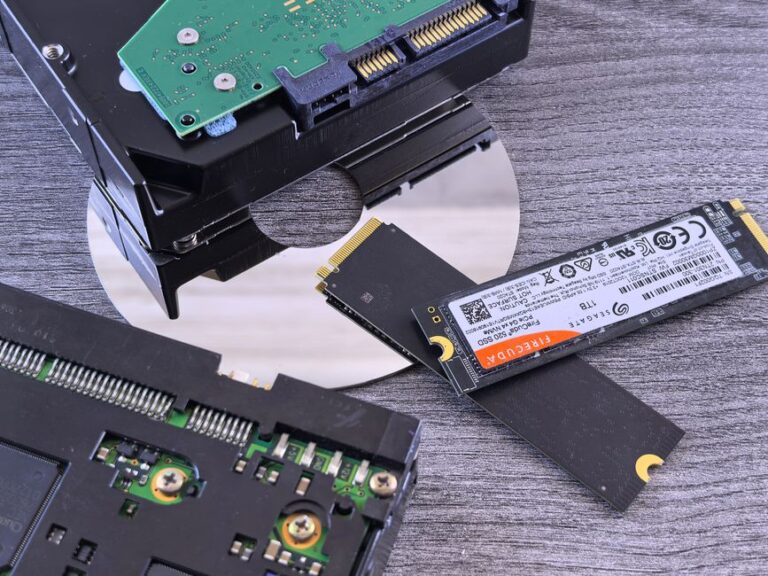
Yes, SSDs provide significantly faster load times and better overall performance compared to traditional HDDs, making them a preferred choice for gaming.
You can monitor your CPU and GPU temperatures using software tools. If temperatures exceed safe limits (typically above 85°C), your system may be overheating.
Upgrading RAM can lead to improved multitasking capabilities, faster load times for applications, and overall smoother performance during gaming and demanding tasks. More RAM allows your system to handle larger files and run more applications simultaneously without slowing down.
To optimize your internet connection for gaming, consider using a wired Ethernet connection instead of Wi-Fi, as it provides a more stable and faster connection. Additionally, close background applications that consume bandwidth and ensure your router is positioned for optimal signal strength.
The graphics card is crucial for rendering images and videos in games. A powerful GPU enables higher resolutions, better graphics settings, and smoother frame rates, significantly enhancing the gaming experience.
It is advisable to update your drivers regularly, especially for your graphics card and other critical components. New driver updates often include performance enhancements and bug fixes that can improve your system’s gaming capabilities.
These issues can often be resolved through software updates, hardware upgrades, or adjusting game settings. Regular maintenance and monitoring can help prevent many of these problems.
Liquid cooling can be an excellent option for high-performance gaming PCs, as it typically provides better cooling efficiency compared to air cooling. This can lead to higher performance and quieter operation, especially during intense gaming sessions.