Introduction to Building a High-Performance Workstation
Creating a high-performance workstation in 2023 involves more than merely selecting a few components; it requires a strategic approach to assembling hardware that maximizes efficiency and speed. From graphic designers to video editors and software developers, the right configuration is essential for optimal productivity. This guide explores the best components available, including CPUs, GPUs, memory, storage solutions, and more. By delving deeper into the features and specifications of each component, you can ensure your workstation is tailored to meet your specific needs, enhancing your industry’s performance.
Choosing the Right CPU for Optimal Performance
The central processing unit (CPU) serves as the heart of your workstation, influencing both computing speed and overall performance. A well-chosen CPU can significantly impact the time it takes to complete tasks, enhancing workflow and efficiency. In 2023, several CPUs stand out for high-performance workstations, offering a range of features to cater to diverse user needs.
Top CPUs for Workstations
- AMD Ryzen 9 7950X3D: Renowned for its exceptional multi-threading capabilities, this CPU is engineered for users handling intensive applications such as 3D rendering and complex simulations. Its ability to juggle multiple tasks simultaneously makes it ideal for creative professionals.
- Intel Core i9-13900K: With remarkable clock speeds and outstanding single-core performance, this CPU is particularly suited for tasks demanding quick processing, like gaming and real-time rendering. Users benefit from reduced latencies and increased frame rates.
- Apple M2 Max: Tailored specifically for macOS, the M2 Max delivers unmatched performance in energy efficiency and computing power, making it an excellent choice for professionals engaged in video editing, app development, and graphic design.
When selecting a CPU, carefully consider metrics such as core and thread count, clock speed, and thermal design power (TDP) to strike an optimal balance between raw performance and energy consumption.
The Importance of a High-Performance GPU
A graphics processing unit (GPU) plays a crucial role in shaping the overall performance of your workstation, particularly for activities involving rendering graphics, 3D modeling, and gaming. Choosing a robust GPU ensures smooth graphical output and accelerates computation tasks.
Leading GPUs in 2023
- NVIDIA GeForce RTX 4090: This powerful GPU shines in both gaming and professional visualization tasks, offering cutting-edge technology in ray tracing and artificial intelligence applications. Its extensive VRAM ensures that it can handle high-resolution textures with ease.
- AMD Radeon RX 7900 XTX: An exceptional value-to-performance option, this card excels at high-resolution gaming and demanding creative work, making it ideal for those on a budget who still require performance.
- Apple GPU in M2 Max: Built for macOS ecosystem compatibility, this GPU delivers high performance for graphics-intensive tasks while also achieving energy efficiency.
When selecting a GPU, evaluate the primary applications you intend to use, memory bandwidth requirements, and ensure compatibility with your chosen CPU architecture. This consideration is essential for maximizing the efficiency of your workstation.
Maximizing Memory and Storage Solutions
Efficient memory (RAM) and storage solutions are vital for enhancing overall workstation performance, allowing for quick access to data and fluid multitasking. In 2023, the focus should be on both the quantity and type of memory as well as the storage technology employed.
Memory Recommendations for Workstations
- 32GB DDR5 RAM: This amount of RAM is typically adequate for mid-range tasks involving multitasking and running multiple professional-grade applications simultaneously.
- 64GB DDR5 RAM: Highly recommended for demanding workloads, including video editing and 3D modeling, 64GB provides the capacity to manage large files and applications without lag.
- Speed and Latency: Pay attention to RAM speed (measured in MHz) and latency ratings. Higher speed and lower latency contribute to more responsive performance, particularly in memory-intensive scenarios.
Storage Solutions for Efficient Workflow
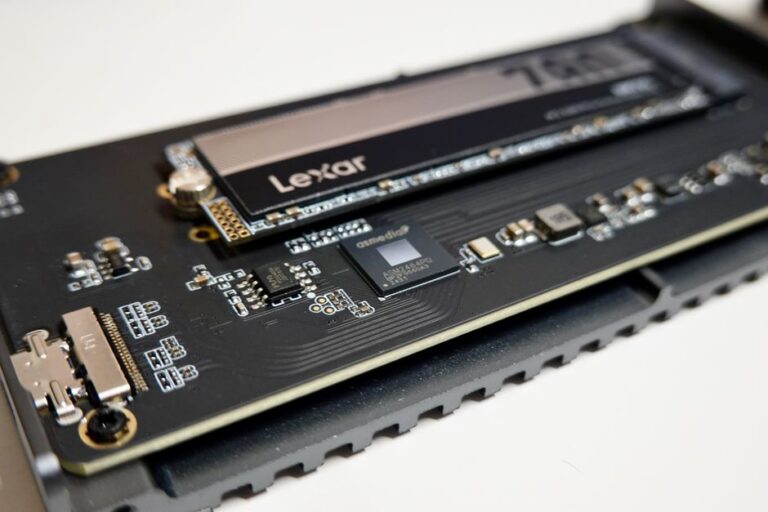
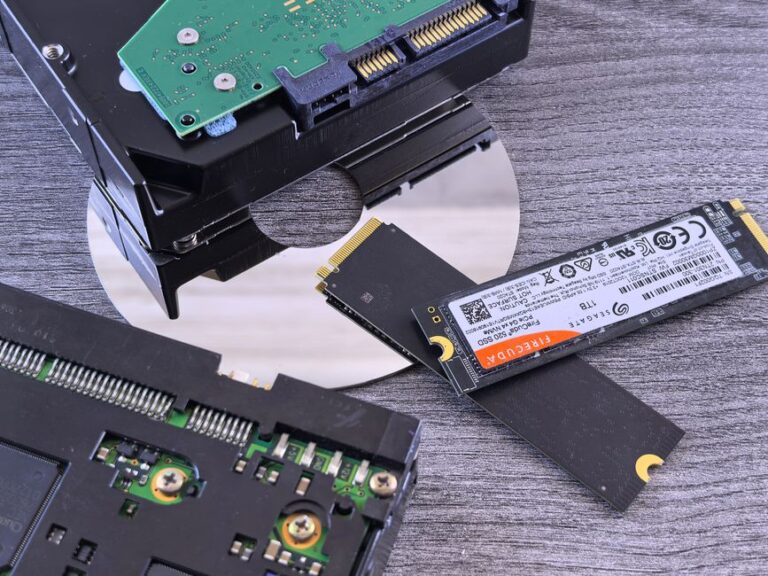
- NVMe SSDs: These solid-state drives offer significantly faster data transfer speeds than traditional hard drives, making them essential for a high-performance workstation where quick data access is crucial.
- 2TB SATA SSD: Ideal for storing a variety of applications and projects, 2TB of SSD storage provides ample space and quick access to frequently used files.
- Backup Options: Incorporating external hard drives or cloud storage solutions enhances data redundancy and protects against data loss, ensuring your work remains secure.
When configuring your workstation, finding the right balance between RAM and storage is key to achieving both performance and efficiency.
Choosing the Right Motherboard and Cooling Solutions
The motherboard is essentially the backbone of your workstation, facilitating communication between all components and ensuring they operate cohesively. In addition to motherboard selection, effective cooling solutions are paramount for preventing overheating and ensuring system stability under load.
Selecting a Motherboard
- Chipset Compatibility: Ensure that the motherboard is compatible with your chosen CPU and GPU. This compatibility guarantees smooth integration and prevents bottlenecks.
- Expansion Slots: Look for adequate PCIe lanes to accommodate additional components such as graphics cards and storage devices, ensuring future-proofing for potential upgrades.
- Future Upgradability: Opt for motherboards with features that allow for easy upgrades, extending your workstation’s lifespan and accommodating evolving workload demands.
Importance of Effective Cooling Solutions
- Air Coolers: Suitable for moderate workloads, air coolers efficiently provide adequate cooling while minimizing noise levels.
- Liquid Cooling Systems: These systems are essential for high-performance setups, offering superior cooling capabilities crucial for maintaining stable temperatures in overclocked systems.
- Case Fans: Ensure that your workstation has sufficient airflow to maintain optimal temperatures across all components, further enhancing overall performance.
Choosing the right motherboard and effective cooling solution is instrumental for maximizing the performance and longevity of your workstation, giving you a resilient platform for your work.
Conclusion: Assembling Your High-Performance Workstation
Building a high-performance workstation involves careful consideration of various components, from CPUs and GPUs to memory and storage solutions. By thoughtfully selecting the best parts according to your specific needs, you can create a system that significantly enhances productivity and performance. In 2023, investing in quality hardware is a strategic decision that yields substantial dividends in terms of efficiency, ensuring your workflow remains seamless and uninterrupted.
Frequently Asked Questions
- What should I prioritize when building a workstation? Begin by focusing on the CPU and GPU for optimal processing power, followed closely by sufficient RAM and fast storage options.
- How much RAM do I need for a workstation? For most tasks, 32GB of RAM is generally adequate, but 64GB or more is ideal for highly demanding applications such as video editing or 3D rendering.
- Is liquid cooling necessary for my workstation? While liquid cooling is not mandatory for all systems, it is highly recommended for high-performance or overclocked setups to maintain optimal temperatures.
- What type of SSD is best for workstation use? NVMe SSDs offer the most impressive performance, providing faster data access speeds compared to traditional SATA drives.
- How often should I upgrade my workstation? Upgrading every 3 to 5 years is common, but the timeline may vary based on technological advancements and your evolving workload requirements.
Relacionados
USB4 vs Thunderbolt 4: Real-World Bandwidth, Daisy-Chaining Limits, Cable Certification, and What Works with Your Laptop
How to Size a PC Power Supply for Modern GPUs: Transient Spikes, ATX 3.1 and 12V-2x6 Cables, Rail Stability, and Real-World Wattage Math
Why NVMe SSDs Overheat and How to Fix It: Choose Effective Heatsinks, Apply Thermal Pads Correctly, Pick the Right Motherboard Slot, and Improve Case Airflow
NVMe vs SATA SSDs for Gaming PCs: Which to Choose for Load Times, Longevity, and Budget