USB4 vs Thunderbolt 4: Real-World Bandwidth, Daisy-Chaining Limits, Cable Certification, and What Works with Your Laptop

In the ever-evolving world of technology, understanding the differences between hard disk drives (HDD) and solid-state drives (SSD) is crucial for making informed decisions about storage solutions. This article delves deep into the characteristics, advantages, and disadvantages of each type of storage to help you determine which option best fits your needs. Whether you are a gamer, a professional, or someone who simply wants to store files efficiently, this guide will provide the insights you require.
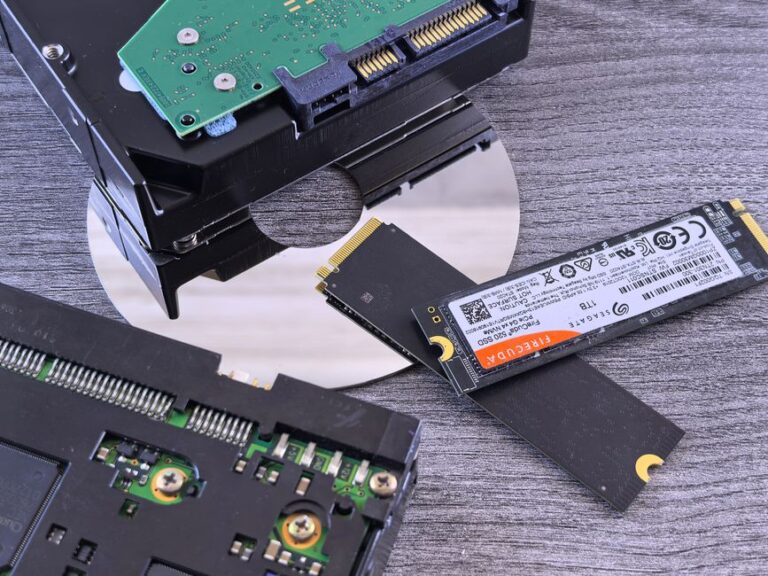
Hard disk drives have been the standard for data storage for several decades. They utilize magnetic disks to read and write data, offering a reliable way to store large amounts of information. Here are some key characteristics:
Despite being an older technology, HDDs have several advantages that make them appealing:
However, HDDs do have drawbacks that should be considered:
Solid-state drives have gained popularity in recent years due to their advanced technology. Unlike HDDs, SSDs use flash memory to store data, resulting in faster speeds and improved performance. Key features include:
The benefits of using SSDs are substantial:
Despite their advantages, SSDs come with certain limitations:
Choosing between an HDD and an SSD depends on your specific needs and use cases. Here are some considerations:
Both HDDs and SSDs have their unique advantages and drawbacks. Understanding these differences is essential for selecting the right storage solution for your requirements. If speed and durability are your primary concerns, an SSD is the way to go. However, if cost and capacity are your main priorities, an HDD may be the better option. Ultimately, the best choice will depend on your individual needs and how you plan to use your storage device.
The primary difference lies in the technology used for storage. HDDs use magnetic disks, while SSDs utilize flash memory, resulting in faster speeds and greater durability for SSDs.
For users who prioritize performance, speed, and durability, SSDs are generally worth the extra investment. They significantly improve boot times and application loading times.
Yes, many users opt for a combination of both. An SSD can be used for the operating system and frequently accessed applications, while an HDD can store larger files and backups.
HDDs can last several years, often up to 5-10 years with proper care. SSDs typically have a lifespan of around 3-5 years, depending on usage and write cycles.
Most laptops allow for upgrades from HDD to SSD. However, it is essential to check compatibility and follow the manufacturer’s guidelines to ensure a smooth transition.
SSDs offer several advantages compared to traditional HDDs. They provide faster data access speeds, which results in quicker file transfers and reduced loading times. Additionally, SSDs operate silently and generate less heat, contributing to a cooler and quieter computing environment.
Generally, SSDs are considered more reliable than HDDs. They have no moving parts, which makes them less susceptible to mechanical failure. This durability is especially important for portable devices that may experience drops or shocks.
When selecting an SSD, consider factors such as storage capacity, read and write speeds, and form factor. Additionally, evaluate your budget and whether you need additional features like encryption or advanced data recovery options.
The future of storage technology looks promising, with innovations like NVMe SSDs providing even faster performance. As cloud storage becomes more prevalent, hybrid solutions that combine local and cloud storage will also gain traction.