USB4 vs Thunderbolt 4: Real-World Bandwidth, Daisy-Chaining Limits, Cable Certification, and What Works with Your Laptop

As gaming technology evolves, players seek ways to enhance their gaming experience. While graphics cards often receive the spotlight, numerous other hardware upgrades can significantly improve performance, responsiveness, and immersion. This article explores essential upgrades beyond graphics cards, ensuring that your gaming rig is optimized for the best experience possible.
Random Access Memory (RAM) plays a critical role in gaming performance. Upgrading your RAM can lead to smoother gameplay and faster load times.
Modern games demand more memory to operate efficiently. Insufficient RAM can lead to stuttering and lag, especially in open-world environments. Here are some key points to consider:
When selecting RAM, consider speed and latency. Higher MHz ratings can improve performance, while lower latency can lead to quicker data access. Look for RAM that is compatible with your motherboard and offers good heat dissipation features.
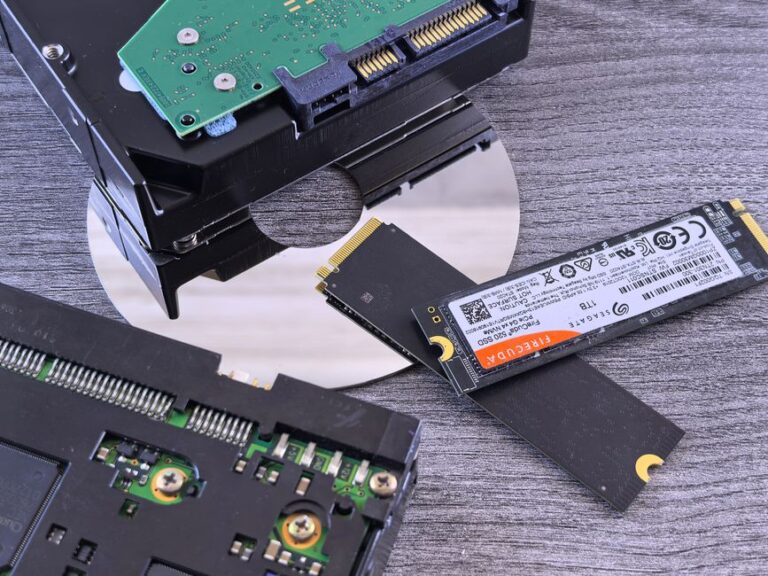
Storage devices have a profound impact on loading times and overall system responsiveness. Upgrading to an SSD can transform your gaming experience.
When selecting an SSD, consider the following:
While internal hardware upgrades are essential, peripherals such as monitors, keyboards, and mice also play a significant role in your gaming experience.
A quality monitor can enhance your visual experience and responsiveness. Consider the following features:
Your keyboard and mouse can impact your gaming performance significantly. Here are some key considerations:
As components work harder, heat generation increases. An effective cooling system is vital for maintaining performance and prolonging hardware lifespan.
Regularly clean your cooling systems to prevent dust buildup. Monitor temperatures using software tools to ensure your system runs efficiently.
For most gaming scenarios, 16GB of RAM is considered the minimum, while 32GB is recommended for future-proofing and handling demanding titles.
An SSD can significantly reduce loading times and improve system responsiveness, enhancing your overall gaming experience.
Yes, mechanical keyboards offer better tactile feedback, durability, and customization options, making them a worthwhile investment for serious gamers.
Liquid cooling solutions are typically the best choice for high-performance rigs, as they provide superior cooling efficiency and can support overclocking.
If you experience lag, long load times, or if your current hardware cannot run new games at acceptable settings, it may be time for an upgrade.
The graphics card is a crucial component for any gaming setup. It directly affects the quality of graphics and frame rates in games. When selecting a graphics card, consider the following factors:
When selecting a gaming monitor, refresh rate and response time are two critical specifications to consider. Refresh rate, measured in hertz (Hz), indicates how many times per second the display updates. A higher refresh rate results in smoother visuals, which is especially important in fast-paced games.
Response time, on the other hand, measures how quickly a pixel can change from one color to another. A lower response time reduces motion blur and ghosting, enhancing the gaming experience. Aim for a monitor with at least a 144Hz refresh rate and a response time of 5ms or lower for optimal performance.
A stable and fast internet connection is vital for online gaming. Lag or high ping can ruin your gaming experience, leading to frustration during crucial moments. Consider upgrading your internet plan or using a wired Ethernet connection to ensure the best performance.