How to size a PC power supply in 2026: account for GPU transient spikes, 12VHPWR connectors, efficiency curves, and safe headroom

If you want a stable, quiet, and upgrade‑ready PC in 2026, start with the power supply. This guide explains how to size a PSU the right way, with practical steps for handling GPU transient spikes, modern 12VHPWR and 12V‑2×6 connectors, real efficiency curves, and sensible headroom. The goal is simple: predictable performance today, breathing room for tomorrow, and zero melted cables.
I am Julieta Goncalves Santos, your resident digital watchdog. I read the specifications so you do not have to, and I am unapologetically against planned obsolescence. A well‑sized, well‑built PSU is a decade purchase when you choose correctly. Treat it as core infrastructure, not an afterthought.
CPU and GPU vendors publish power figures, but they refer to different things. CPU TDP is a thermal design guideline, while real sustained draw depends on boost behavior and power limits. Many motherboards allow power values above stock. GPU TGP describes the board’s target power; partner cards can set higher limits than reference models.
Beyond the headline parts, your platform needs power for DRAM, storage, fans, pumps, controllers, and USB devices. Budget for the whole system, not just the CPU and GPU.
PSUs are rated for continuous power at a given temperature, typically 40–50 °C. Your system’s average draw is usually far lower than the label. What stresses stability are short, millisecond‑scale peaks, especially from modern GPUs. Your PSU must ride through those peaks without tripping protections or sagging voltage.
Transient spikes are sudden, brief rises in current, often when a GPU ramps its voltage and frequency. They last milliseconds yet can reach well above the card’s average power. If the PSU’s transient response or over‑current protection is too aggressive, the system can shut down under load even though the nominal wattage “should be enough.”
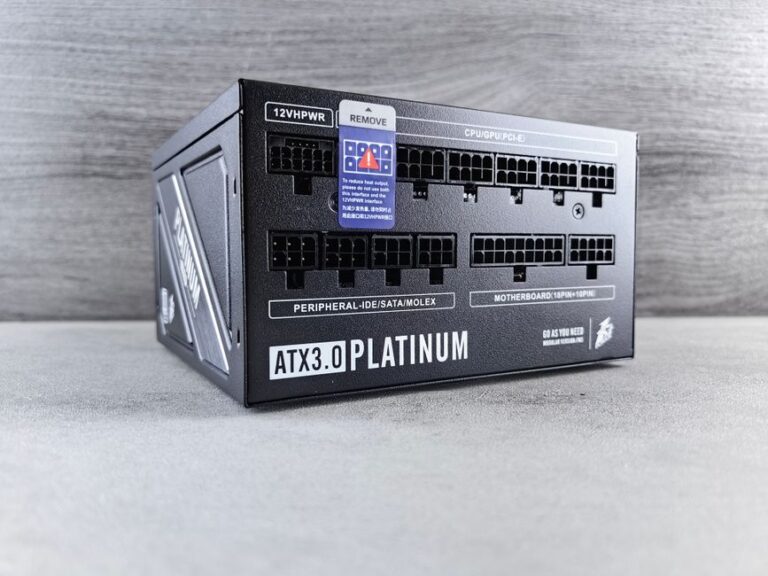
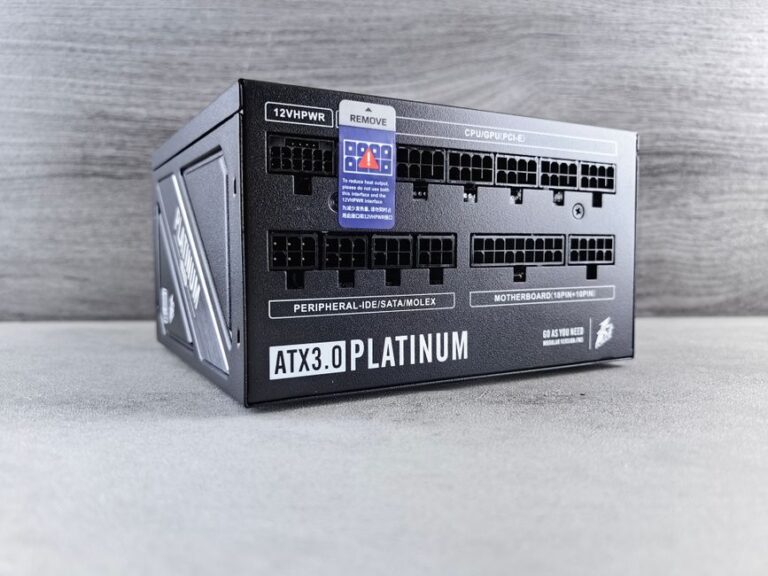
Modern units designed for ATX 3.1 include updated transient handling and native high‑power GPU outputs. Look for native 12‑pin connectors with proper sense lines and manufacturer‑rated cables, not aftermarket splitters. Many 2026 PSUs ship with updated 12V‑2×6 leads, designed to improve insertion tolerance and detection compared with early 12VHPWR generations.
For a deeper walk‑through of the electrical behavior and user pitfalls, see our guide on handling transient spikes, 12VHPWR connectors, and efficiency curves.
Because you cannot predict exact spikes per game or driver version, plan extra headroom beyond the sum of average CPU and GPU power. A common target is in the 20–30% range over expected full‑load draw, with more margin for overclocking or workstation bursts. The aim is not brute force; it is to keep the PSU inside its comfort zone so it can absorb spikes gracefully.
Most quality PSUs reach peak electrical efficiency between roughly 40% and 60% of their rated wattage. Operating your system’s typical gaming or render load near that window reduces heat and fan noise and extends component longevity. Running a PSU at 90% all day will work on paper, but the fan curve and thermals will punish your ears and your capacitor lifespan.
80 PLUS and Cybenetics ratings help, but they are not the full story. Two units with similar badges can behave very differently under transients, high temperatures, or low‑line input. Treat certifications as a starting filter, then check the platform’s transient response, OCP design, and cable quality.
Combine the CPU’s sustained draw under your expected workloads with the GPU’s typical load in those same scenarios. Add a platform budget for memory, storage, fans, pumps, and peripherals. If you run AVX‑heavy jobs or CUDA/OpenCL rendering, plan using those sustained numbers rather than idle or light gaming figures.
After you have a sustained total, add headroom for GPU spikes and future upgrades. A practical baseline is 20–30% for gaming systems and more if you plan CPU or GPU overclocking, higher power limits, or additional accelerators.
Choose a wattage where your typical heavy load lands around the 40–60% output window. This reduces fan activity and improves efficiency. If your sustained load is 450 W, selecting a 750–850 W unit typically places you in a comfortable zone with room for spikes.
Insist on a modern platform with native high‑power GPU support and quality cables. If your GPU requires high‑power connectors, use the PSU’s included native cable rather than a multi‑8‑pin adapter whenever possible. For rail behavior and detailed math, read our deep dive on ATX 3.1 and 12V‑2×6 cables.
Ensure you have the right number of PCIe GPU connectors, EPS 8‑pin connectors for the CPU, and SATA/Molex for peripherals, ideally on separate cables for high‑draw devices. Avoid Y‑splitters for GPUs unless the PSU vendor explicitly designed the harness that way.
Single‑rail designs make the full 12 V capacity available on any connector, which is simple but requires good OCP tuning. Multi‑rail units distribute current limits across outputs, adding a layer of protection. Neither is inherently “better”; stability depends on proper OCP thresholds and the PSU’s transient response profile.
Imagine a 65–125 W class CPU with a mainstream GPU. Under gaming, the GPU carries most of the load, with platform power modest. A quality 650–750 W ATX 3.1 unit typically lands you in the efficiency sweet spot with headroom for transient spikes and a next‑gen mid‑range upgrade.
Picture a high‑core CPU with a top‑tier GPU and several NVMe drives. Sustained combined draw under rendering can be high, and GPU transients can be aggressive. An 850–1000 W unit with native 12V‑2×6/12VHPWR, solid transient response, and low ripple is a practical target for stability and acoustics.
Think of a small‑form‑factor case with limited airflow. Even if your sustained wattage math suggests a lower PSU, the thermal headroom and fan curve argue for a higher‑capacity SFX‑L or ATX unit, provided it fits. Quieter operation at the same workload is the benefit of staying in the mid‑efficiency band.
You do not need a kilowatt monster for every build, but you do need honest headroom. Prioritize build quality, native high‑power support, and clean voltage over chasing the biggest number on the box. A well‑chosen unit lets you swap GPUs later without replacing the power supply.
Favour PSUs with standard‑length cables, accessible spare parts, and clear warranty terms. A power supply that is built to last and easy to service is better for you and better for the planet.
It is strongly recommended. ATX 3.1 platforms are engineered with updated transient handling and native high‑power connectors that align with current GPUs. You can sometimes run adapters on older units, but stability and connector safety are better with native support.
For most gaming and creator builds, 20–30% above sustained full‑load draw is a practical target. If you overclock, run AVX‑heavy workloads, or plan a big GPU upgrade, add more margin.
Not always, but running a larger unit at a lower relative load often reduces fan speed and coil noise. Compare acoustic measurements and fan curves; design quality matters as much as wattage.
12V‑2×6 is an updated high‑power connector specification intended to improve insertion and detection characteristics. In practice, treat both with care: use native PSU cables, seat them fully, and avoid tight bends at the plug.
A properly designed single‑rail unit with well‑tuned over‑current protection is safe and widely used. Stability issues usually stem from inadequate transient response or poor cabling practices, not from the number of rails alone.