Complete guide to running a private LLM on consumer GPUs: model selection, 4-bit quantization, and memory optimization

Deploying a private LLM on‑premises gives organizations tighter control over data, predictable performance, and the ability to optimize cost per token with custom hardware and software choices. This guide explains how to size hardware for local inference, when to use GPU vs CPU, how quantization affects memory and latency, and how to compute cost per token with a transparent, repeatable method.
On‑prem deployment keeps sensitive prompts, embeddings, and outputs within your security perimeter. It allows deterministic networking and latency, avoids per‑request egress, and supports customization of models, tokenizers, and pipelines without vendor constraints.
Hardware sizing starts from the model’s parameter count, desired context length, target latency, and concurrency. Translate these requirements into memory capacity, memory bandwidth, compute throughput, and I/O budgets before purchasing nodes.
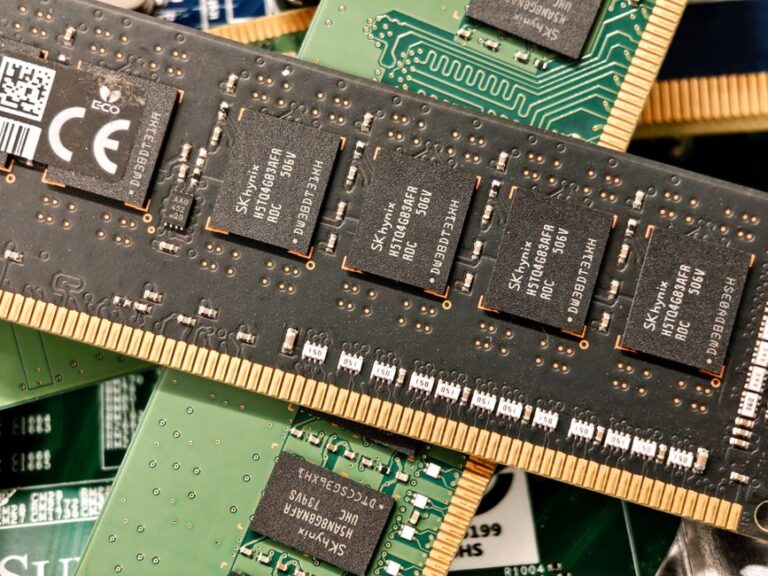
Raw FP16 weights require roughly two bytes per parameter; weight‑only INT4 can reduce that by about a factor of four. The full working set also includes key‑value (KV) cache memory, activations, optimizer state for fine‑tuning, and tokenizer buffers. KV cache grows with sequence length, number of layers, number of attention heads, and precision.
If the full model and KV cache do not fit in a single GPU, plan for tensor parallelism or CPU offload. Multi‑GPU requires high‑bandwidth interconnects to avoid latency spikes under batch loads.
LLM inference is often memory‑bandwidth bound during prefill and compute‑bound during decode for small batches. GPUs with high memory bandwidth and large L2 caches typically deliver better tokens‑per‑second at the same precision than general‑purpose CPUs.
Use fast local NVMe for model checkpoints, tensorizer files, and quantized artifacts to minimize load time. For RAG, dimension your storage for embeddings and indexes, plus room for re‑indexing during schema or model changes.
For a broader architecture including vector stores and retrieval pipelines, see our private LLM stack on premises guide.
Scale up with larger GPUs when latency is paramount and your model fits in memory. Scale out when you need high concurrency, large context windows, or model ensembles.
GPUs generally lead on performance per watt for transformer inference, especially with quantization and fused kernels. CPUs can be competitive for small models, low concurrency, or environments with strict GPU availability or procurement constraints.
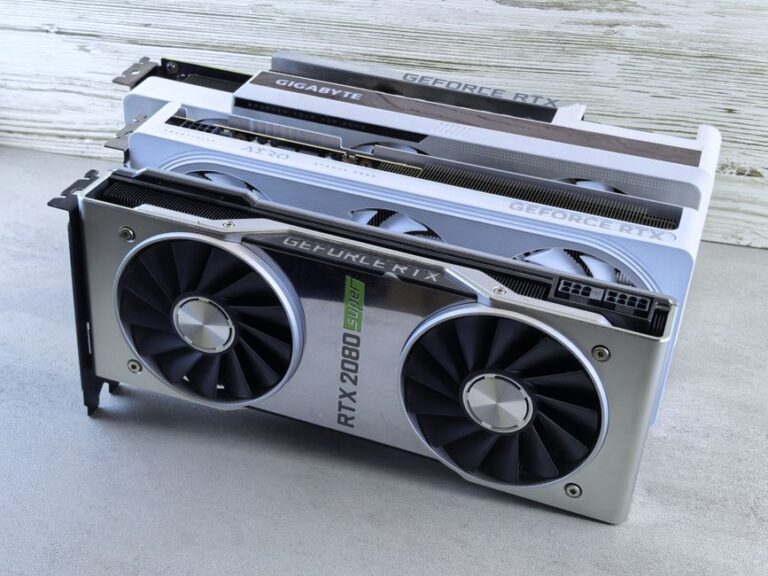
Modern data‑center GPUs provide large VRAM, high bandwidth, and mature inference runtimes. Workloads benefit from quantized matrix ops, efficient attention, and tensor parallelism across multiple devices.
CPU inference libraries with INT8/INT4 support and thread‑pool tuning can deliver acceptable latency for targeted tasks. Verify whether the CPU socket memory bandwidth and cache sizes sustain your target batch sizes.
Specialized accelerators and AI NICs can be attractive if your procurement and toolchain support them. Validate model compatibility, kernel coverage, and monitoring support before committing.
Quantization compresses weights and, optionally, activations to reduce memory and improve throughput. The optimal method balances latency, memory fit, and task‑specific accuracy.
Common approaches include INT8, INT4, and mixed‑precision schemes that preserve key layers at higher precision. Evaluate generation quality and safety filters for your tasks after quantization.
Activation‑aware methods attempt to maintain distribution fidelity during quantization by isolating or re‑scaling outlier channels. This can improve perplexity and downstream accuracy relative to naive uniform quantization.
Choose formats and runtimes that integrate smoothly with your serving stack and hardware. Popular choices include GGUF for CPU/GPU local serving, and methods such as GPTQ, AWQ, and NF4 in bits‑and‑bytes‑based pipelines.
Conversion pipelines typically include checkpoint export, quantization with calibration, format conversion, and validation. Keep both the original and quantized artifacts for auditability and quick rollback.
Cost per token reflects both capital and operating expenses spread over the tokens your system serves at a given utilization. Use a transparent formula and keep assumptions explicit so finance and engineering can iterate together.
Tokens served depend on steady‑state tokens‑per‑second, concurrency, batch efficiency, and target latency. Realistic utilization is rarely 100% due to warm‑ups, maintenance windows, and diurnal traffic patterns.
Define variables for a single node, then scale linearly or with measured parallel efficiency for a cluster. Replace each placeholder with your verified values.
If you run multiple models or multi‑tenant queues, attribute shared costs proportionally by tokens served or reserved capacity, and validate fairness with stakeholders.
Compute reliable tokens‑per‑second and latency figures using repeatable prompts, fixed seeds where applicable, and warm caches. Record measurements for different precisions and batch sizes.
Compare your on‑prem numbers against cloud baselines for context. For a managed accelerator reference, see how to deploy a quantized LLM on AWS Inferentia2 and adapt the costing method to your premises.
A private LLM service must be observable, upgradable, and safe by design. Treat the model like any production microservice with SLOs, rollbacks, and security reviews.
Harden the serving plane, restrict egress, and apply strict audit logging for prompts and outputs. Validate data retention and redaction policies against your regulatory framework.
For retrieval workflows and safeguards around enterprise documents, see how to build a private RAG chatbot with local models and align it with your governance model.
Start with a clear service envelope: target models, context windows, latency SLOs, and expected QPS. Select hardware that fits the memory and bandwidth envelope with quantization headroom. Design for the smallest acceptable precision that meets quality and safety criteria.
Revisit assumptions quarterly. Models, kernels, and quantization toolchains evolve rapidly, and small improvements in batching or precision can materially change your cost per token.
Profile your target model and latency SLOs with a small proof of concept. If you need long context, high concurrency, or sub‑second token latency, GPUs usually lead. For small models or low QPS tools, tuned CPU inference can be sufficient.
Start with weight‑only INT8 as a baseline, then test INT4 or NF4. Validate on your own prompts and safety tests. Use mixed precision for sensitive layers if you notice quality regressions.
Approximate by summing quantized weight size and KV cache at your max context and batch size. Add headroom for runtime buffers and tensor parallel overhead. If close to the limit, consider sharding or a higher‑VRAM device.
Throughput and utilization dominate. Higher tokens‑per‑second at the same power and a realistic utilization model reduce cost per token more than small line‑item optimizations.
For a broader treatment of pipelines, vector databases, and hardening practices, read our complete guide to deploying a private LLM stack on premises and align its recommendations with your workload and risk profile.